
[ dynamic_creative ]
Creative testing for Figma —
powered by dynamic templates.
Turn any Figma design into a live image URL with swappable variables. A/B test every headline, image, and CTA — then personalize the winner for every channel.
Install from Figma CommunityFree on Figma Community · Generous free tier
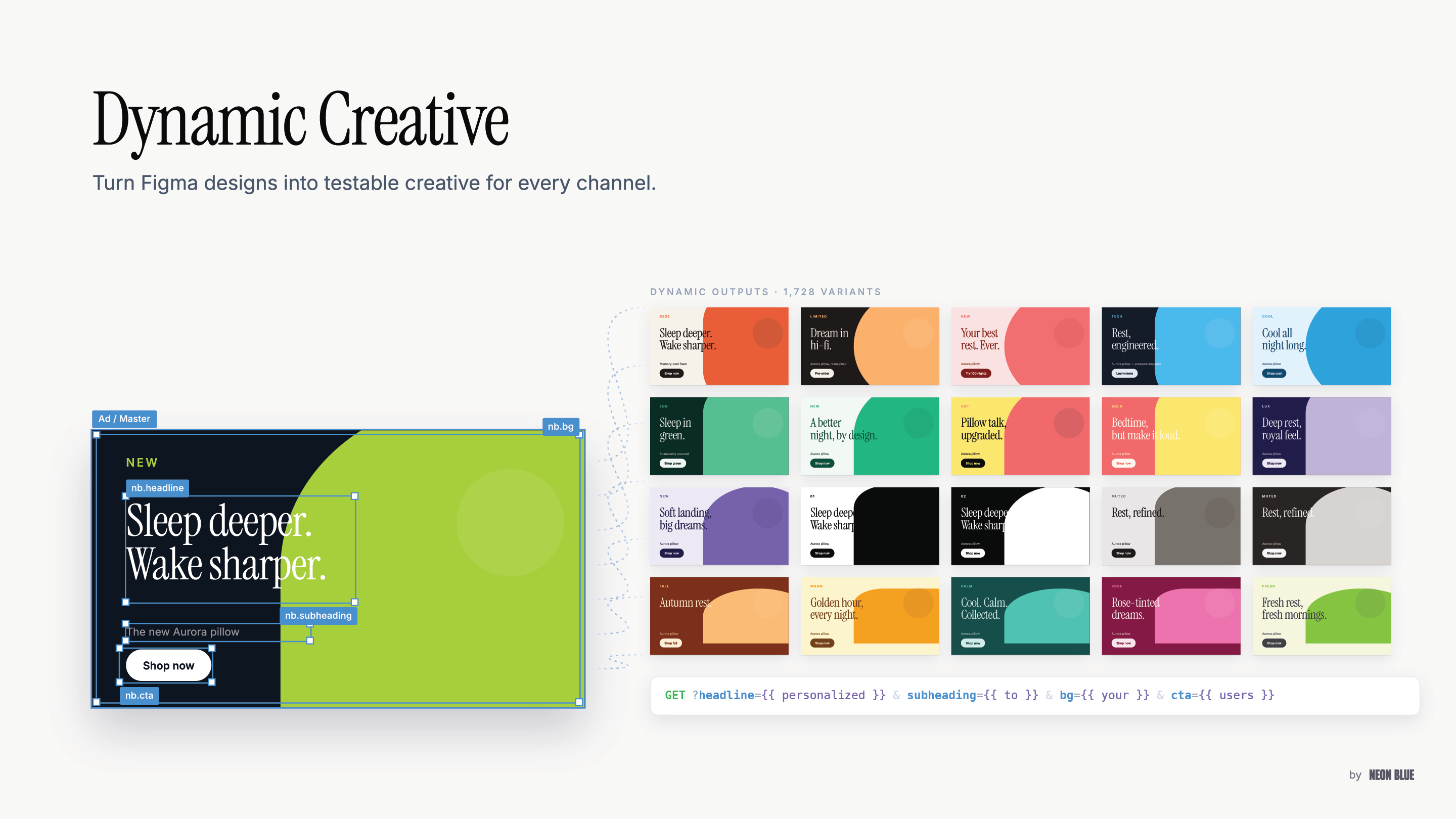
One Figma design → 1,726 rendered variants. Swap headline, subheading, background, or CTA with a single querystring parameter.
[ how_it_works ]
From a Figma frame to a live URL in three steps
Design in Figma
Name the layers you want dynamic: nb.headline, nb.product_image, nb.cta.
nb.headline
nb.product_image
nb.cta
Publish
One click in the plugin. You get a live image URL instantly — usually in under 3 seconds.
https://figma.neonblue.ai/
  i/brand/hero.png
Render at scale
Call the URL with any data — your app, your CSV, your email platform, your ad server.
?headline=Welcome
&product_image=sku_102
&cta=Shop+now
[ per_parameter ]
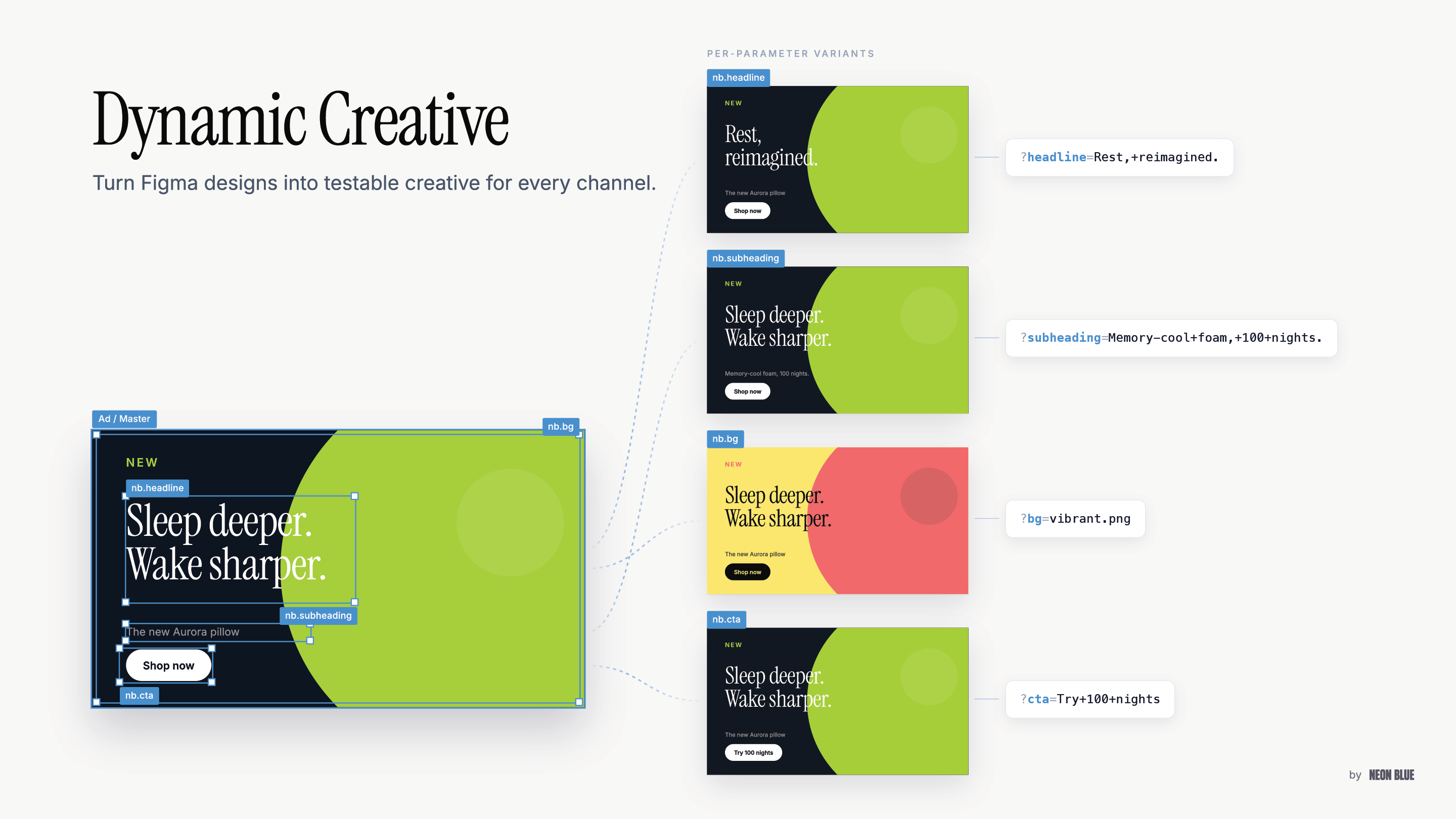
Every layer is an override
Rename a layer nb.headline, nb.bg, or nb.cta, publish, and that layer becomes a URL parameter. Pass a new value and the image re-renders from your Figma design — in under 500ms.
- Text: headline, body, price, CTA copy
- Image: product shots, hero images, backgrounds
- Visibility: toggle badges, ribbons, legal lines
[ faq ]
Frequently asked questions
How do I turn a layer into a dynamic parameter?
Rename it with the nb. prefix — e.g. nb.headline, nb.hero_image, nb.cta — then hit Publish in the plugin. That layer is now overridable via URL querystring, so any text, image, color, or visibility property in the Figma design becomes a variable you can swap per render.
Do I need a designer to use Dynamic Creative?
No. Once a designer builds the source Figma file and names the nb. layers, growth marketers and PMs can generate every variant themselves — via API, CSV upload, or the plugin's built-in UI. The whole point is decoupling variant production from the designer so creative testing stops being a bottleneck.
Can I run A/B and multivariate creative testing with this?
Yes — dynamic creative testing is the primary use case. Generate variant A and variant B URLs and plug them into your ESP's native split test or your ad platform's A/B testing feature. For multivariate (headline × image × CTA × offer), generate the full combinatorial set programmatically via the API and let your platform pick winners.
What is dynamic creative optimization (DCO), and does this support it?
DCO is the pattern of programmatically assembling creative variants from a single source, then serving the right variant to the right audience. Dynamic Creative delivers the DCO pattern on top of your Figma file — one design, unlimited variants, addressable per user, segment, or locale through the querystring.
How fast are renders?
p95 under 500ms. Fast enough to call on every email open, page load, or ad impression. Output is CDN-cacheable so repeated renders with the same parameters are effectively instant.
What formats does the render API return?
SVG, PNG, and JPG. Pick the format per endpoint — same template, one URL surface. Format is determined by the file extension on the render URL.
Do I need an SDK to embed the output?
No. The plugin output is a plain image URL. Drop it anywhere that supports <img src> — email campaigns, ads, landing pages, OG / share cards, rich push notifications. No widget, no iframe, no JavaScript on the receiving end.
Which tools can I embed the URL into?
Anything that accepts an image URL. That covers email and CRM platforms, ad platform creative slots, landing-page builders and modern web frameworks, workflow and automation tools, and rich-push providers. If it takes <img src>, it takes Dynamic Creative.
Can I generate personalized content at scale?
Yes. Pass user, segment, locale, or product parameters in the URL and every render is unique — rendered on email open, page load, or ad impression. This is the creative-automation layer that sits under personalized content at real campaign volume.
Does it support localized creative?
Yes. Same template, many languages, many locales, many currencies — one publish, global rollout. Pass locale as a parameter and the image renders translated copy, localized imagery, and region-appropriate offers from the same Figma design.
What about brand safety and version control?
Every template is versioned. Publishing a new Figma version doesn't break existing URLs — you opt in to the new version, or pin a prior one. Your Figma file remains the source of truth, and your design system stays canonical across every downstream embed.
What data is sent to Neon Blue's servers?
Only the Figma frame data you choose to template, plus the parameters you pass in each render request. No personal Figma workspace data is read or stored beyond the frames you publish.